The Smart Thermostat Myth: Why Your Nest Isn't Saving You Money (And What Actually Will)
You bought the Nest. Or the Ecobee. Or the Honeywell Home.
The marketing promised you'd save 10-23% on your energy bills. You'd see the ROI in just a year or two. Your home would be smarter, more efficient, more comfortable.
You installed it. You downloaded the app. You set up the schedules and learning features. You felt like a responsible, tech-savvy homeowner.
Then summer hit. And your energy bill was... exactly the same as before. Maybe even higher.
You're confused. Frustrated. You spent $250 on this thing. You followed all the recommendations. So where are the savings?
Here's the truth that Google, Amazon, and every smart thermostat company won't tell you:
For most homeowners in Murrieta and Temecula, a smart thermostat won't save you a dime—not because the technology is bad, but because it can't fix the real problems.
After 15 years of working with hundreds of homes that have smart thermostats, I've seen the pattern over and over: high hopes, disappointing results, and homeowners wondering what they did wrong.
Spoiler: You didn't do anything wrong. The thermostat just can't fix what's actually broken.
Let me explain what's really going on—and what will actually reduce your energy bills.
The Smart Thermostat Promise vs. Reality
Let's start with what smart thermostats claim they'll do:
The Marketing Claims:
"Save up to 23% on cooling costs!" (based on internal studies)
"Learns your schedule and optimizes automatically"
"Prevents energy waste when you're not home"
"Pay for itself in under 2 years with energy savings"
"Remote control means you never waste energy"
Sounds amazing, right?
The Reality:
Smart thermostats CAN save energy, but ONLY if:
You were previously wasting energy by forgetting to adjust your thermostat
Your HVAC system is properly sized and functioning efficiently
Your home has a good building envelope (insulation, air sealing)
Your ductwork isn't leaking
You were previously setting unnecessarily aggressive temperature targets
If any of those conditions aren't met, the smart thermostat is just an expensive remote control for a system that's still wasting energy.
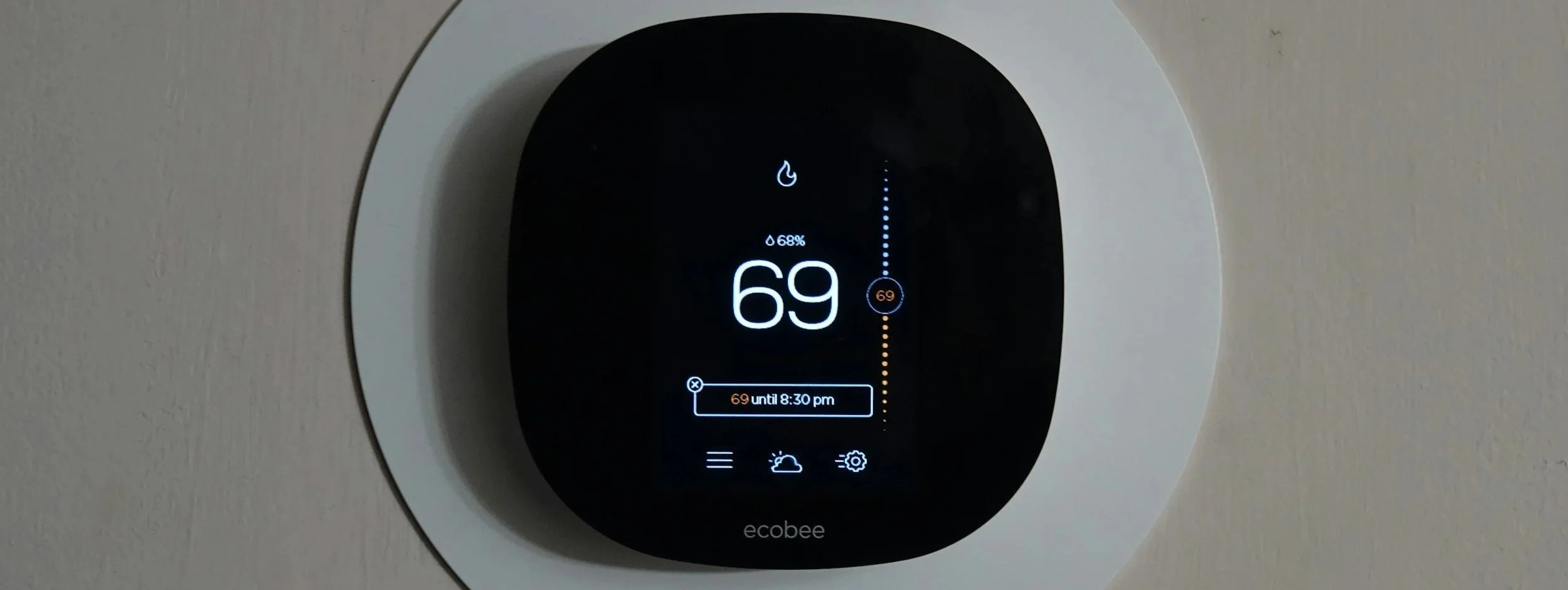
Why Your Smart Thermostat Isn't Saving You Money
Let me break down the most common reasons smart thermostats fail to deliver on their promises:
Problem 1: You Weren't Wasting Energy to Begin With
The biggest savings from smart thermostats come from automatically adjusting temperatures when you're not home or asleep.
But here's the thing: Most responsible homeowners in Murrieta were already doing this.
If you were already:
Setting your thermostat to 78-80°F when leaving for work
Raising it to 82-84°F at night (or using ceiling fans)
Not cooling the house when nobody's home
Being generally conscious about energy use
Then a smart thermostat has nothing to optimize. You were already doing what it's designed to automate.
The thermostat can't save energy you weren't wasting in the first place.
Problem 2: Your HVAC System Is Inefficient
A smart thermostat doesn't make your HVAC system more efficient. It just controls when it runs.
If your system has problems:
Undersized or oversized (improper load calculation)
Leaky ductwork (losing 30-40% of conditioned air)
Low refrigerant (running inefficiently)
Dirty coils (reduced heat transfer)
Failing components (capacitor, compressor, fan motor)
The thermostat can't fix any of that. It's like putting a sophisticated speedometer in a car with a blown transmission—you can monitor everything, but the underlying problem remains.
Problem 3: Your House Is an Energy Sieve
This is the big one that nobody talks about.
If your home has poor insulation, air leaks, and inadequate duct sealing, no thermostat—smart or otherwise—will meaningfully reduce your energy bills.
Remember what we talked about in a previous post about building envelope problems? All of that applies here:
Hot attic air leaking into your living space
Inadequate insulation (R-19 when you need R-49)
Ductwork in 140-degree attic spaces losing massive amounts of conditioned air
Windows and doors leaking air
Gaps around recessed lights
Your smart thermostat sees the house isn't reaching the set temperature and just runs the AC longer. It's managing a losing battle, not creating efficiency.
It's like trying to fill a bucket with a hole in it by optimizing your pouring technique. The real problem is the hole.
Problem 4: The "Learning" Feature Works Against You
Smart thermostats "learn" your patterns and pre-cool or pre-heat your home so it's comfortable when you arrive.
This often uses MORE energy than just setting a simple schedule.
Here's why:
Let's say you typically get home at 5:30 PM. Your Nest "learns" this and starts cooling the house at 4:00 PM so it's perfect when you walk in.
But what if:
You're running late today (stuck in traffic on the 15)
You stopped at the store
You're working from home today and were here all along
It's a cooler day and you don't actually need aggressive cooling
The thermostat is making assumptions and running your system more than necessary.
A simple programmable schedule (set it to start cooling at 5:00 PM when you're home every day) often uses LESS energy than the "smart" learning feature.
Problem 5: The Setback Isn't Worth It in Our Climate
Smart thermostats encourage aggressive temperature setbacks: let the house get hot during the day, then cool it down when you're home.
In Murrieta's extreme summer heat, this strategy often backfires.
Here's what happens:
You let the house climb to 85-88°F during the day
Everything absorbs heat: walls, furniture, floors, ceilings
When you get home, the AC has to:
Cool the air from 88°F to 75°F
Remove all the heat absorbed by thermal mass
Overcome the blazing hot attic radiating heat down
Your AC runs full-blast for 3-4 hours straight
This extended runtime at peak temperature (and peak electricity rates) often uses MORE energy than maintaining a moderate temperature all day (say, 80°F).
In extreme climates like ours, moderate temperatures maintained consistently often beat aggressive setbacks.
But smart thermostats are programmed to encourage setbacks because that's what works in moderate climates (like Silicon Valley, where Nest was developed).
Problem 6: You're Competing with Time-of-Use Rates
If you're on SDG&E or a similar utility with time-of-use (TOU) rates, your electricity costs more during peak hours (typically 4-9 PM).
Guess when your smart thermostat is running your AC the most? During peak hours, when rates are highest.
Because that's when you're home and want comfort.
So even if you're using the same amount of energy, you're paying more for it because it's concentrated during expensive hours.
Some smart thermostats have TOU awareness, but many homeowners don't set it up correctly or don't realize their utility's specific rate structure.
The Real Numbers: What We've Actually Seen
Let me share real experiences from Murrieta and Temecula homes:
Case Study 1: The Nest That Changed Nothing
A family upgraded from a basic programmable thermostat to a Nest ($250 installed).
Before Nest:
Summer bills: $380-$420/month
They manually programmed 78°F when home, 82°F when away
After Nest (6 months of data):
Summer bills: $375-$425/month
Nest "learned" their schedule and adjusted automatically
Savings: $0-$5/month (within margin of error)
Why? Because they were already managing their thermostat responsibly. The Nest just automated what they were already doing.
The "learning" features actually caused occasional problems—running the AC when they were home all day (working remotely) because it "expected" them to be gone.
Case Study 2: The Ecobee That Made Things Worse
A homeowner installed an Ecobee with remote sensors ($350 installed) hoping to solve hot/cold spot issues.
Before Ecobee:
Summer bills: $290/month
Basic programmable thermostat
After Ecobee:
Summer bills: $340/month
Remote sensors in bedrooms
Increase: $50/month
What went wrong? The remote sensors detected that the bedrooms were warmer than the thermostat location (normal, because hot air rises). The Ecobee responded by running the AC more aggressively to cool the bedrooms.
But the bedrooms were warm because:
Inadequate attic insulation
Ductwork in hot attic with leaks
Poor airflow to upstairs
The Ecobee couldn't fix any of those problems. It just ran the system harder trying to compensate, using more energy and still not solving the comfort issue.
Case Study 3: The Smart Thermostat That Actually Helped
A homeowner installed a smart thermostat AND addressed building envelope issues:
Added R-49 attic insulation ($2,100)
Sealed ductwork ($1,200)
Installed a Nest ($250)
Before:
Summer bills: $445/month
After (full implementation):
Summer bills: $265/month
Savings: $180/month
But here's the key question: How much of that savings was from the Nest, and how much was from the insulation and duct sealing?
Based on similar projects, we estimate:
Insulation: ~$100/month savings
Duct sealing: ~$70/month savings
Smart thermostat: ~$10/month savings
The Nest contributed maybe 5-6% of the total savings. The building envelope improvements did the heavy lifting.

What ACTUALLY Reduces Your Energy Bills
If a smart thermostat isn't the answer, what is?
Here's what actually moves the needle on energy costs in Murrieta and Temecula:
1. Fix Your Building Envelope First
This is the foundation. Nothing else matters if your house is an energy sieve.
Priority actions:
Upgrade attic insulation to R-49 minimum
Air seal attic penetrations and access points
Seal ductwork with mastic (not just tape)
Address major air leaks around windows and doors
Typical savings: $80-$150/month in summer
Cost: $3,000-$6,000
ROI: 2-4 years
2. Properly Size Your HVAC System
An oversized system wastes energy through short-cycling. An undersized system runs constantly and can't keep up.
What you need:
Proper Manual J load calculation
Right-sized equipment for your actual load
Correct refrigerant charge
Proper airflow (CFM per ton)
Typical savings: $40-$80/month
Cost: $0 if you size correctly during replacement
ROI: Immediate (if replacing anyway)
3. Maintain Your System Regularly
Dirty coils, low refrigerant, worn components—all kill efficiency.
What you need:
Annual maintenance with thorough coil cleaning
Filter changes every 1-3 months
Prompt attention to small problems before they cascade
Typical savings: $30-$60/month
Cost: $150-$200/year for maintenance
ROI: 3-6 months
4. Use Strategic Shading
South and west-facing windows gain massive heat in our climate.
What you need:
Solar screens or window film on sun-exposed windows
Exterior shading (awnings, trees, shade structures)
Keeping blinds/curtains closed during hottest parts of day
Typical savings: $20-$50/month
Cost: $500-$2,000 depending on scope
ROI: 1-3 years
5. Optimize Your Thermostat Strategy (Smart or Not)
Whether you have a smart thermostat or a $30 programmable one, strategy matters.
What works in our climate:
Set moderate temperatures (78-80°F) rather than aggressive setbacks
Use ceiling fans to improve comfort without lowering temperature
Close vents in unused rooms (if you don't have returns in those rooms)
Schedule cooling to avoid peak rate hours if possible
Typical savings: $15-$30/month
Cost: $0 (behavior change)
ROI: Immediate
6. Consider a Whole-House Fan
In Murrieta/Temecula, we get significant temperature drops at night (often 20-30 degrees).
A whole-house fan can flush hot air out and pull in cool evening air, reducing AC reliance.
Typical savings: $30-$70/month
Cost: $800-$1,500 installed
ROI: 1-2 years
When Smart Thermostats DO Make Sense
I'm not saying smart thermostats are worthless. There ARE scenarios where they provide value:
1. You Have Truly Erratic Schedules
If your schedule changes daily and you frequently forget to adjust your thermostat, automation helps.
But be honest—is this really you? Or were you already pretty good about adjusting temperatures?
2. You Have Multiple Zones
If you have a multi-zone system, smart thermostats with zone controls can optimize which areas get cooled when.
But only if the underlying system and building envelope are solid.
3. You Value Data and Visibility
Smart thermostats provide detailed energy reports, runtime analytics, and insights.
If you're a data nerd who will actually USE that information to make decisions, there's value.
But most people check the app for a week, then never look again.
4. You Want Convenience and Remote Control
Being able to adjust temperature from your phone is convenient. Coming home to a cool house is nice.
Just don't expect it to save you money. Think of it as a convenience feature, not an investment.
5. You Have Other Smart Home Integration
If you're building a comprehensive smart home ecosystem and want your thermostat integrated with Alexa, Google Home, or HomeKit, a smart thermostat makes sense.
Again, convenience—not savings.
What We Recommend
Here's our honest recommendation for most Murrieta and Temecula homeowners:
If You Already Have a Smart Thermostat:
Keep it. It's fine. Just don't expect miracles.
Focus your energy and money on building envelope improvements, system maintenance, and proper sizing.
If You're Considering Buying One:
Ask yourself: Will this actually change my behavior?
If you're already disciplined about adjusting your thermostat, a $250 smart thermostat probably won't provide $250 worth of value.
You'd be better off spending that money on:
Professional duct sealing ($1,200 but includes the $250)
Extra attic insulation
Solar screens for west-facing windows
An annual maintenance plan
Our Hierarchy of Priorities:
Building envelope (insulation, air sealing, duct sealing)
Properly sized, well-maintained HVAC system
Strategic shading and window treatments
Behavioral optimization (moderate temperatures, fans, etc.)
Smart thermostat (nice to have, but lowest priority)
Fix the foundation before you buy the fancy controller.
The Bottom Line
Smart thermostats are impressive technology. The apps are sleek. The learning features are sophisticated. The remote control is convenient.
But they can't fix the fundamental problems that drive high energy bills in our climate:
Poor insulation
Leaky ductwork
Oversized or inefficient HVAC systems
Air leaks in the building envelope
Bad thermostat strategies
A $250 smart thermostat controlling a poorly insulated, leaky house with an oversized HVAC system is like putting a Rolex on a broken arm—it looks impressive, but it doesn't fix the actual problem.
The savings you're looking for don't come from technology. They come from physics.
Fix the physics first. Then, if you want the convenience of a smart thermostat, go for it. Just don't expect it to be a financial investment.
Expect it to be what it actually is: a nice convenience feature that might save you $5-15/month if you're lucky.
Want to Actually Reduce Your Energy Bills?
If you're tired of high summer bills and want to know what will ACTUALLY make a difference in your specific home, give us a call.
We'll do a comprehensive assessment of:
Your building envelope (insulation, air sealing, duct sealing)
Your HVAC system sizing and performance
Your thermostat strategy and settings
Opportunities for efficiency improvements
We'll tell you exactly where your money is going and what improvements will provide the best ROI—whether that includes our services or not.
No upselling smart thermostats. Just honest guidance on what will actually work.
Call (951) 555-HVAC or text "SAVINGS" to that number.
Let's figure out what will actually reduce your bills—not just what's trending on tech blogs.
Righteous Heating & Cooling
Murrieta, CA | Licensed, Bonded, Insured
Lic. #123456
Have a smart thermostat? Has it actually saved you money, or was it disappointing? Give us a call—I'm genuinely curious about the range of results people see.